Customer Portal Update
The customer portal update is almost complete.
We’ve been busy making improvements to the Advance Disco Customer Portal, introducing some great new features designed to make planning your event easier, quicker and more convenient.
Alongside the customer-facing improvements, we’ve also been working behind the scenes, replacing hard-coded elements with dynamic code throughout the administration system. This makes the portal more flexible, efficient and easier for us to maintain and develop as we introduce further improvements.
We’re nearly there, and look forward to sharing the updated portal with you!
Music Request Chart
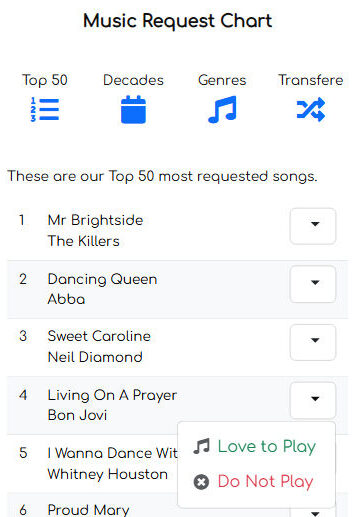
We’ve introduced several new features to make choosing your event music easier and more interactive.
Internal Music Charts
Our internal music chart page now includes a request tally, showing how many times each track has been requested. You can also use the dropdown options to add songs directly to your personal playlist without leaving the chart.
Music by Decade
Want to revisit the classics or discover the hits from a particular era? Our new Music by Decade feature lets you select a decade using the dropdown filter. Browse the available tracks and add your favourites directly to your playlist.
Music by Genre
Prefer a particular style of music? Our Music by Genre feature allows you to filter tracks by genre, making it easy to find the music you love and add it directly to your playlist.
Two Ways to Personalise Your Playlist
Within your Customer Portal, you can add tracks to either of two dedicated lists:
- Love To Play – Tell us which songs you’d really like to hear at your event.
- Do Not Play – Let us know which tracks you’d prefer us to avoid.
These features give you even greater control over your music choices, helping us tailor the entertainment to your tastes and create the perfect atmosphere for your celebration.
Documents Page
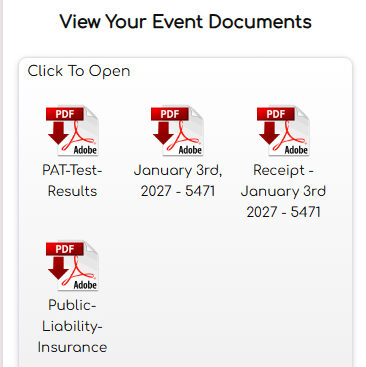
Upon opening the documents page. You can read and download your event documents.
- PAT Test certificates
- Public Liability certificate
- Booking Contract/Agreement
- Deposit and balance receipts
Import A Playlist
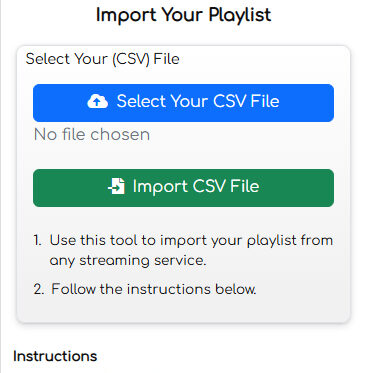
You can easily import playlists from almost any music streaming service, including Spotify, Amazon Music, Tidal, iTunes, Deezer, Qobuz, Apple Music, Beatport, SoundCloud and many more.
Simply follow the instructions on Tune My Music, as you would when transferring a playlist between streaming services. Once complete, save your playlist as a file, then select the saved file within our music planner and click Import.
Although importing your own playlists is simple, we recommend using our own music database wherever possible. This has a major advantage: you can instantly see whether we actually have the track.
Customer Portal Planning Forms
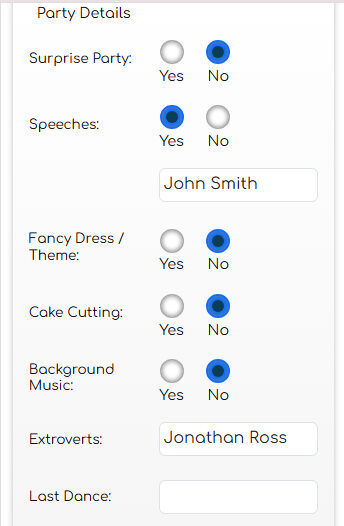
We’ve updated our event planning forms to provide a smoother, more intuitive customer experience, with improved functionality and smarter form logic.
- Event-Specific Forms: Planning forms are now dynamically assigned according to your event type, ensuring you only see the relevant questions and options.
- Mobile & Desktop Compatibility: All planning forms are fully responsive, using Bootstrap to provide a consistent experience across mobile devices, tablets and desktop computers.
- Automatic Saving: Your answers are automatically saved as you move between questions, select radio buttons or progress to the next section. No need to worry about losing your input as you work through your planning form.
These improvements make organising your entertainment easier and more convenient, whatever device you’re using.
Playlist Song Search
Mobile users can now take advantage of the new speech input feature within the Music Playlist song search. Simply tap the microphone and speak the name of the song or artist to make searching for your music even quicker and easier.
The playlist categories are:
- Love To Play
- Do not play
- Custom Songs
- Streaming Songs
- Guest Requests
- Print requests
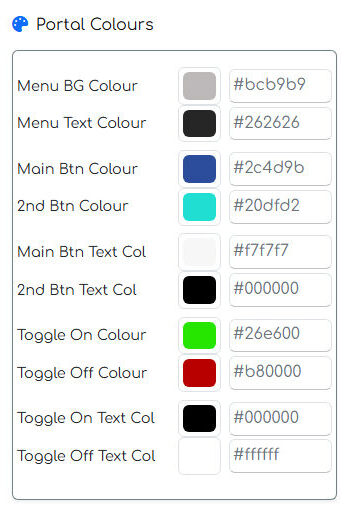
Custom Colours
Personalise Your Customer Portal
All customer portals now include customisable colour settings, allowing you to personalise the appearance to suit your preferences.
You can adjust four key colour elements:
- Menu Colours – Customise the appearance of your portal menus.
- Button Backgrounds – Choose your preferred button background colours.
- Button Text – Set the text colour to complement your chosen button backgrounds.
- Toggle Colours – Customise the colours used for interactive switches and toggles.
Why not take it a step further and match your portal colours to your wedding or event colour scheme?
It’s your portal, so make it your own!